Every load, from quote to paid, in one record
Build multi-stop loads, assign a carrier, log check calls and move the load through each stage with one click. No spreadsheets, no copy-paste.
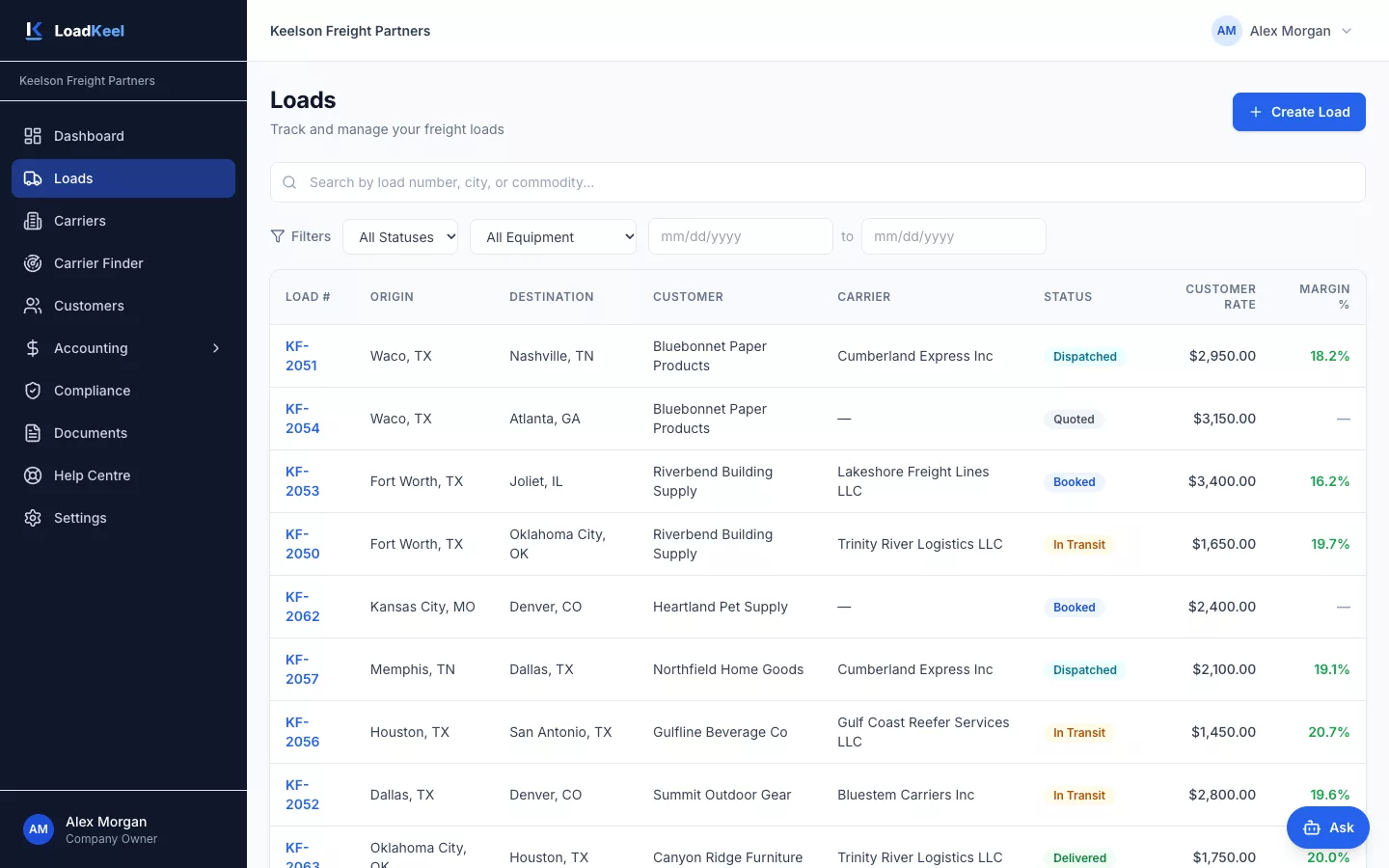
Find any load in seconds
Search by load number, city or commodity, then filter by status, equipment or date. Customer rate and margin sit right in the list.
- Each broker sees their own loads; owners and admins see every load
- Status, lane, customer and carrier at a glance
- Open any load in one click
Build the load once, with every stop
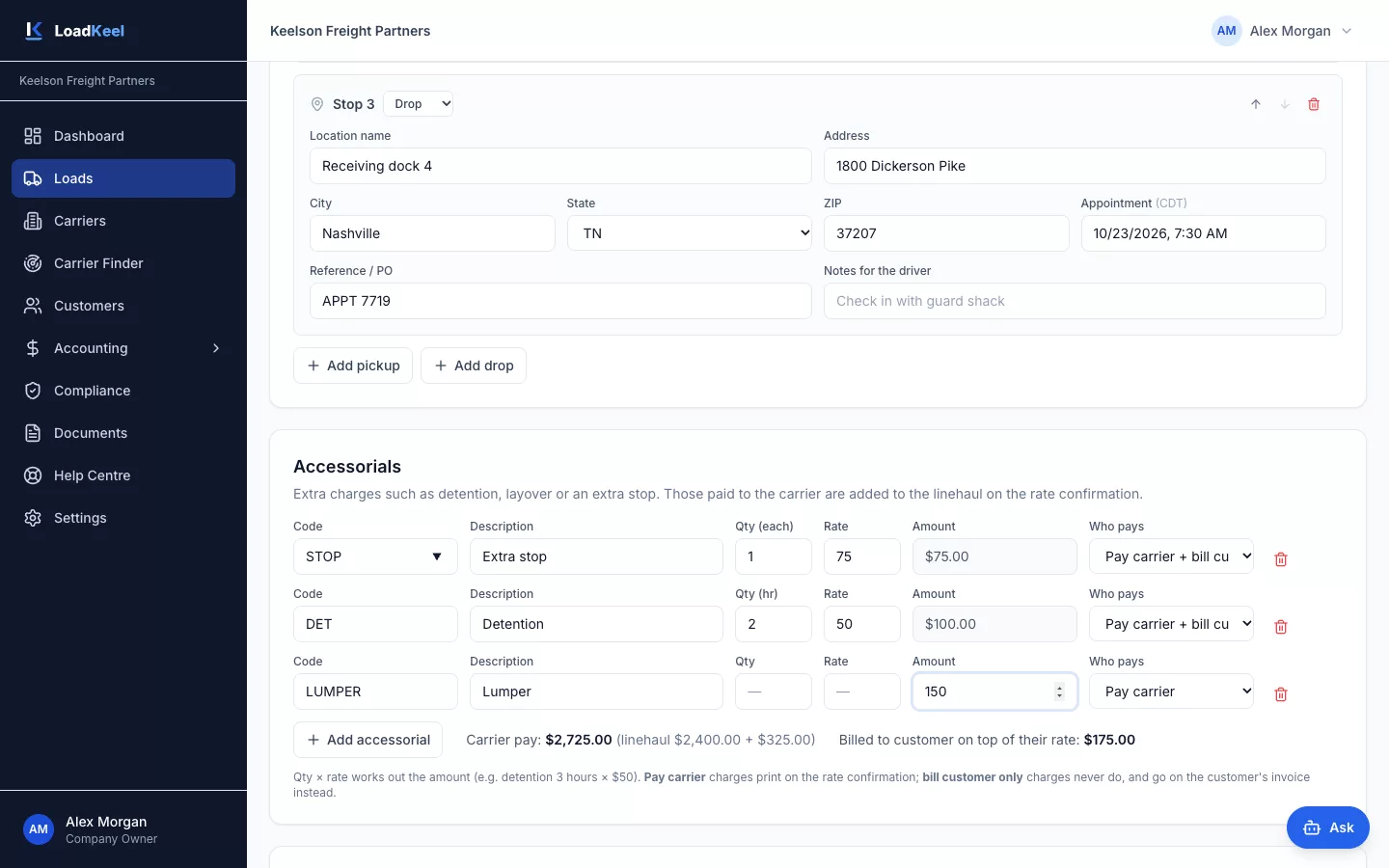
Add as many pickups and drops as the load needs. Each stop has its own facility, address, appointment window and reference numbers.
- Equipment: dry van, reefer, flatbed, step deck, lowboy, conestoga, box truck, power only and hotshot
- Accessorials such as detention, layover, extra stop, lumper and truck-ordered-not-used
- Choose who pays each accessorial; totals are worked out for you
Know exactly where every load stands
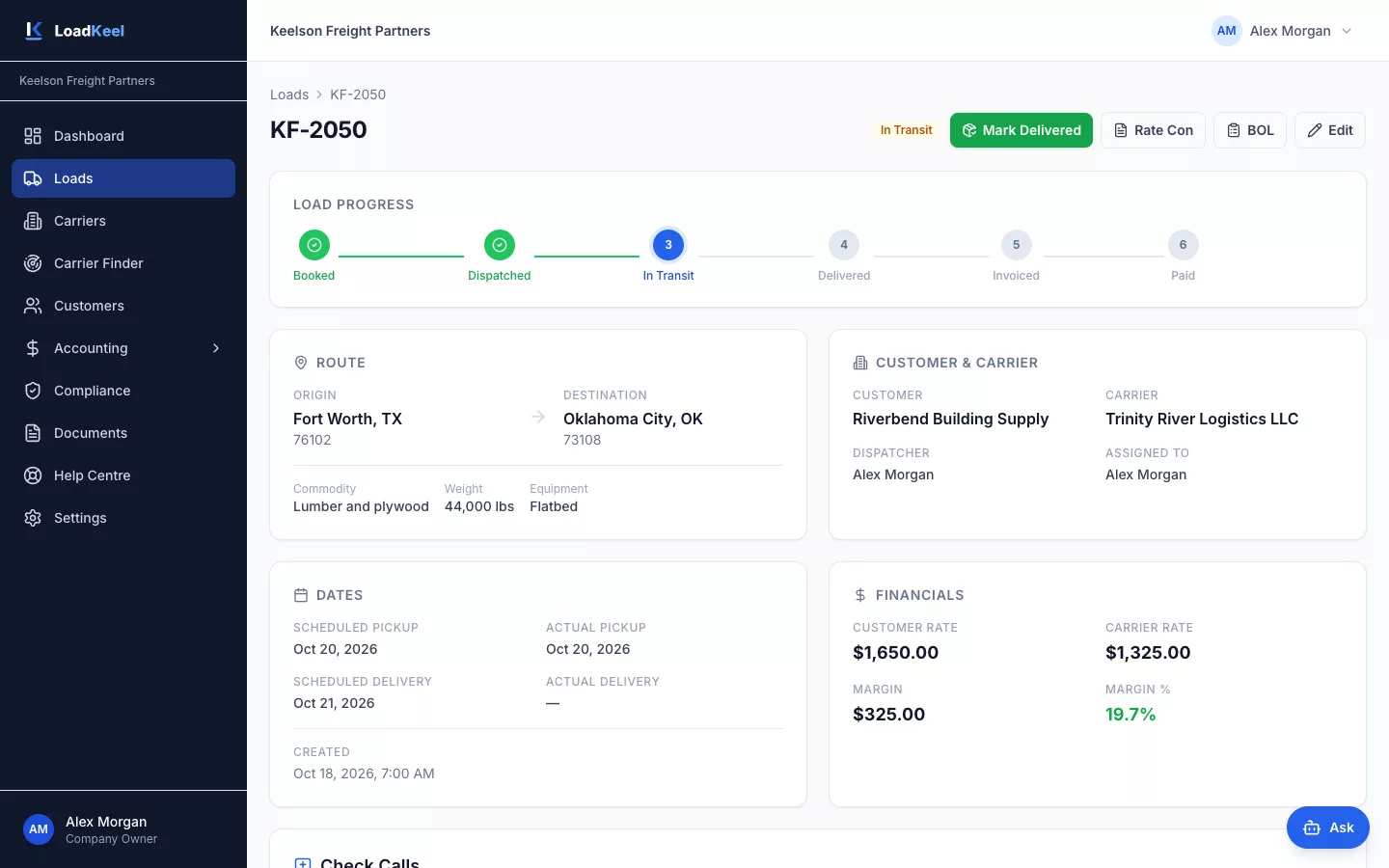
A progress bar shows the stage at a glance. Route, customer, carrier, dates, documents and margin are all on one page.
- Status history from quoted to paid
- Carrier with driver name and cell, truck and trailer numbers
- Check calls logged on the load, so anyone on the team can pick it up
- All documents for the load in one place
Seven stages, one click each
Everyone with access sees the same up-to-date status, so nobody has to ask.
| Stage | What happens |
|---|---|
| Quoted | Create the load for a customer: stops, appointment times, commodity, weight, equipment and rate. |
| Booked | The customer confirms and the load moves to your active board. |
| Dispatched | Assign a vetted carrier, record driver, truck and trailer, and send the rate confirmation. |
| In transit | Log check calls and add accessorials such as detention or layover as they happen. |
| Delivered | Upload the signed BOL or POD to the load. |
| Invoiced | Create the customer invoice straight from the load. The carrier payable is created alongside. |
| Paid | Record the customer payment and pay the carrier. Receivables and payables update on their own. |
Works hand in hand with
Carriers & compliance
Carrier onboarding, FMCSA SAFER snapshots and alerts before insurance or authority lapses.
Accounting
Invoices from delivered loads, receivables aging and carrier payments in one place.
Rate cons & documents
Rate confirmations and BOLs in one click, with every document stored against the load.
See LoadKeel with your own lanes
We’ll walk a real load from quote to paid invoice in 30 minutes. Then try it free for 14 days.