Ask your TMS like you’d ask a colleague
Get answers about your loads and carriers in plain English. The assistant sees only what you are allowed to see, and it never acts without your confirmation.
Ask, and get a straight answer
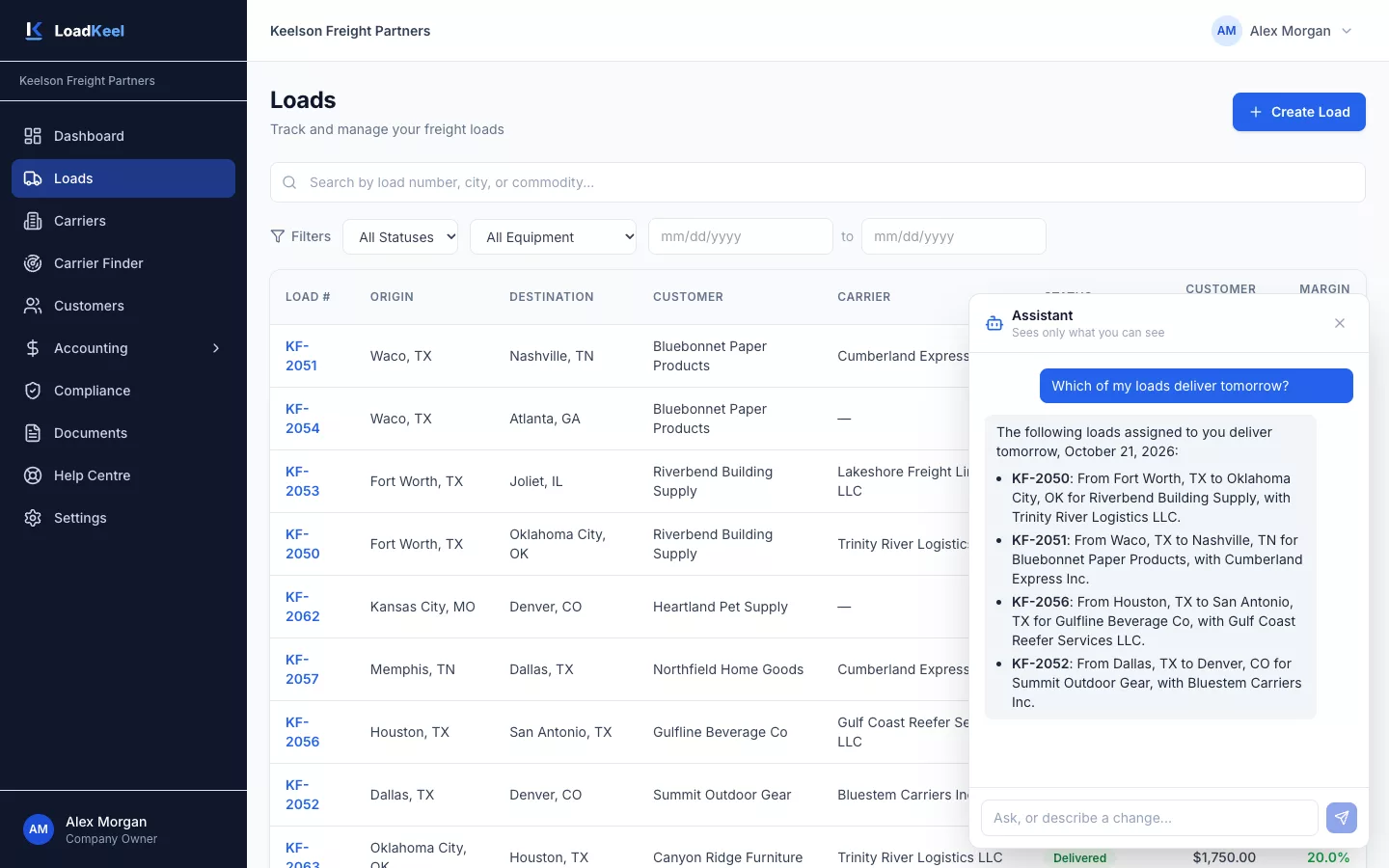
Open the assistant from any page and type your question. It answers from your own data in plain English.
- Answers about your loads, carriers and customers
- Drafts new loads and carrier assignments for you to confirm
- Explains how to do things, from your role’s own guide
Things you can ask
| Ask… | The assistant… |
|---|---|
| “Which of my loads deliver tomorrow?” | Lists your loads by delivery date. |
| “Is this carrier’s insurance current?” | Checks the carrier record and compliance status. |
| “Find reefer carriers near Dallas with 5–20 trucks.” | Runs a Carrier Finder search and sums up the results. |
| “Create a load from Dallas to Atlanta for Acme on Friday.” | Drafts the load for you to review and confirm. |
| “How do I add a carrier?” | Answers step by step from your role’s own guide. |
Helpful, and kept on a short leash
Sees only what you can
The assistant works with the signed-in user’s access. It never shows another broker’s data.
Drafts, you confirm
It never changes data on its own. Anything it drafts waits for you to review and confirm.
Every answer logged
Each question and answer is recorded in the audit log.
Included
Every user gets the assistant at no extra charge.
Works hand in hand with
Load management
Multi-stop loads, appointments, accessorials and a clear status from quote to paid.
Carrier Finder
Search 1.3 million+ active for-hire carriers by ZIP radius, state, fleet size and cargo type.
Team & roles
Seven roles. Private books for each broker, one shared carrier base for the company.
See LoadKeel with your own lanes
We’ll walk a real load from quote to paid invoice in 30 minutes. Then try it free for 14 days.